

Historical: Linux-based prototype
Task switching
This page documents the earlier Linux-based prototype as of 24 November 2026. It does not describe the independent Khelforge OS, and its steps are not instructions for it. See the independent Khelforge OS.
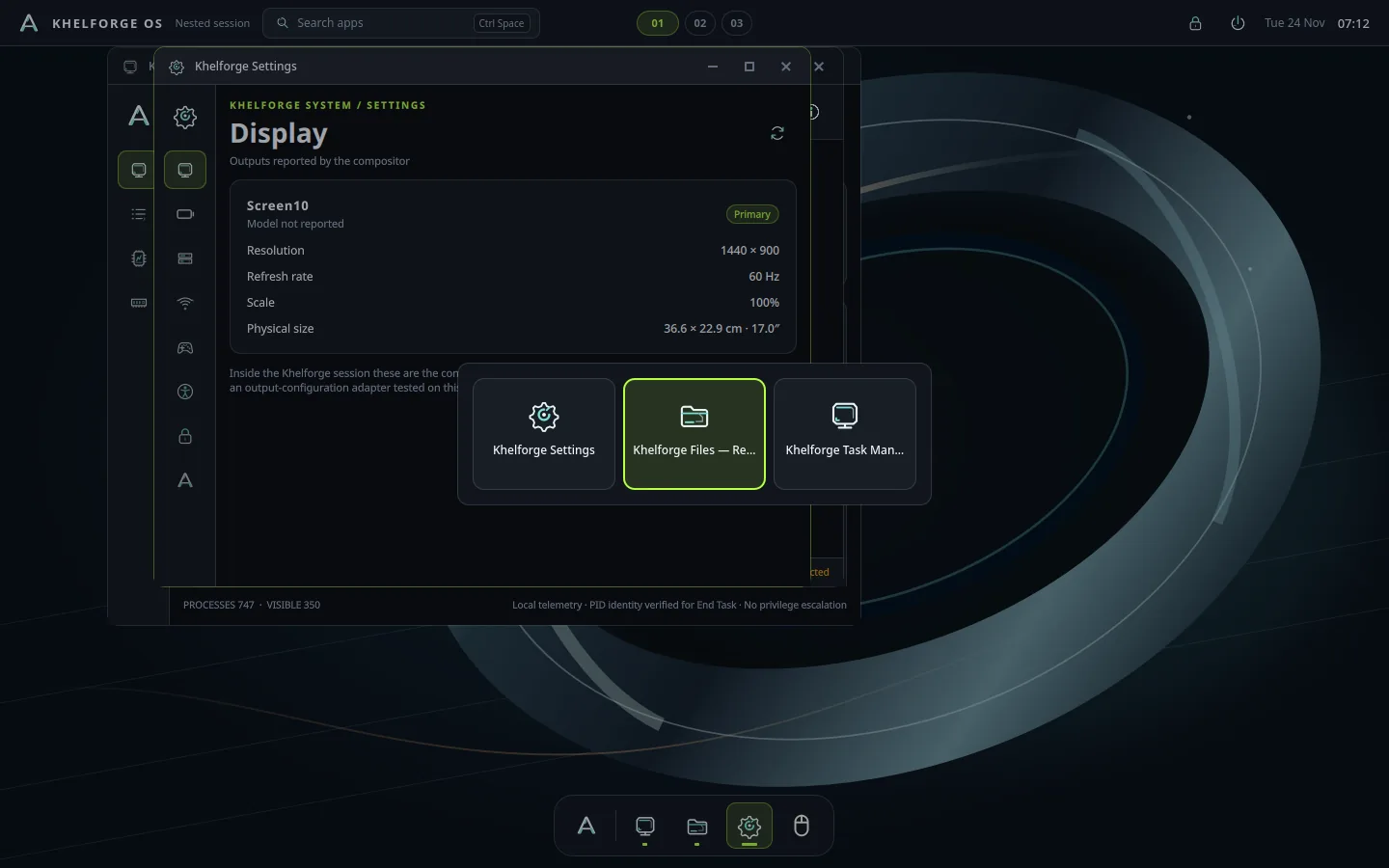
Alt+Tab opens a row of tiles, one for each window on the current workspace. It is implemented and tested in the automated visual test of the offscreen session. It has no thumbnails.
Using it
Section titled “Using it”| Keys | Result |
|---|---|
| Hold Alt, press Tab | Show the switcher and choose the next window |
| Tab, Shift+Tab | Move forward or back through the tiles |
| Esc | Close the switcher and keep the current window |
| Release Alt | Switch to the chosen window |
Windows are listed in the order they were last used. Minimised windows are included and marked Minimized. Choosing one restores it.
Other ways to switch
Section titled “Other ways to switch”- Click the icon of a system app in the dock. A running app comes to the front.
- Click the dock button of another window on the current workspace.
- Choose a running app in the launcher. It opens the running window instead of a second copy.
Known limitations
Section titled “Known limitations”- Tiles show an icon and a title. Live thumbnails are not implemented.
- Only windows of the current workspace appear.
- The switcher does not work while the session is locked.
- There is no overview of all windows.